by Vels | Nov 19, 2016 | Tuesday
Starting in MicroStrategy Desktop 9.0.2, the Portable Documents feature can be used to export a Report Services document template and import it into blank documents. This feature is particularly useful for recreating documents that have object corruption without...
by Vels | Nov 19, 2016 | Tuesday
In some business scenarios, it is required to export the current Project Configuration Settings as a backup file. And the file needs to be clear and readable. This tech note shares two methods to accomplish this.SOLUTION 1:Take MicroStrategy Tutorial Project for...
by Vels | Nov 19, 2016 | Monday
INTRODUCTIONIn MicroStrategy 10.x, users can import reports or entire modules from third-party Salesforce accounts to build MicroStrategy reports, visualizations, and dashboards via the Data Import tool. To import data from a Salesforce account, certain...
by Vels | Oct 24, 2016 | Wednesday
SYMPTOM:Even though some alerts are detected, Operations Manager does not display any of them in the Alerts page as shown below. CAUSE:One possible cause for this issue is that the Health Center Repository folder “RepositoryRTAlerts” contains too...
by Vels | Oct 4, 2016 | Tuesday
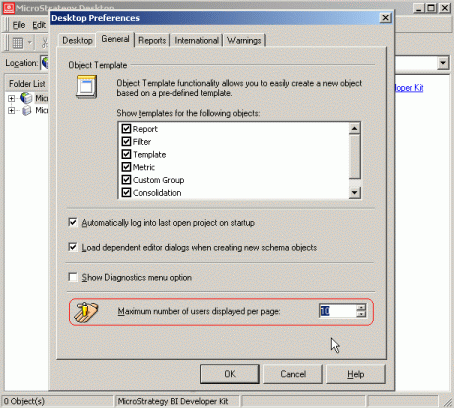
Perform the following steps to limit the number of users displayed in the MicroStrategy Desktop Object Browser window:Open MicroStrategy Desktop 8.1.x Select “Desktop Preferences…” from the Tools menu.Select the General tab in the Desktop...
